

To create a data room in Google Drive:
- Create a main data room folder in Google Drive
- Add Google Drive folders and organize the data room
- Upload files to the Google Drive data room
- Set Google Drive data room sharing permissions
- Share your data room Google Drive links with investors
You can use Google Drive as a data room because it allows you to securely store files and share the link with investors performing due diligence on your company. Google Drive provides folder structure, file sharing, and basic permission controls. Many early-stage startups use Google Drive as a data room because it's familiar and essentially free.
However, Google Drive falls short compared to other virtual data room options when it comes to document analytics and advanced access control features like watermarking and NDA gating. Data from DocSend highlights that investors spend 3 minutes and 44 seconds reviewing seed-stage pitch decks. With a Google Drive data room, you lack information that helps you understand how investors are engaging with your materials, or whether they're engaging at all. With a legitimate virtual data room provider like Alpha Hub, you get document-level analytics that turn investor behavior into actionable follow-up intelligence.
That gap is what purpose-built data room platforms exist to close, but if Google Drive is where you're starting, here's how to build it correctly.
1. Create a main data room folder in Google Drive
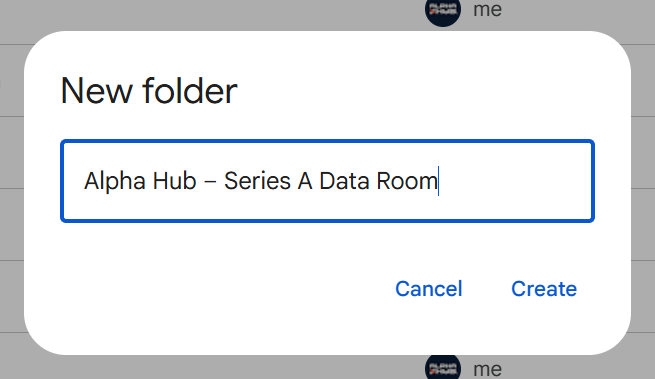
Open Google Drive and create a new folder. Use a professional naming convention for the data room because you will share this with potential investors. For example, we might name our data room "Alpha Hub – Series A Data Room".
Avoid vague names like "Shared Docs" or "Investor Stuff". You're setting the tone for how potential investors experience your company and first impressions matter, starting with the folders they click on to see your data room documents.
It's recommended to create this data room with a Google Workspace organization account, not your personal Gmail account. Documents shared from an actual company Google account appear more legitimate than a personal Google account.
2. Add Google Drive folders and organize the data room
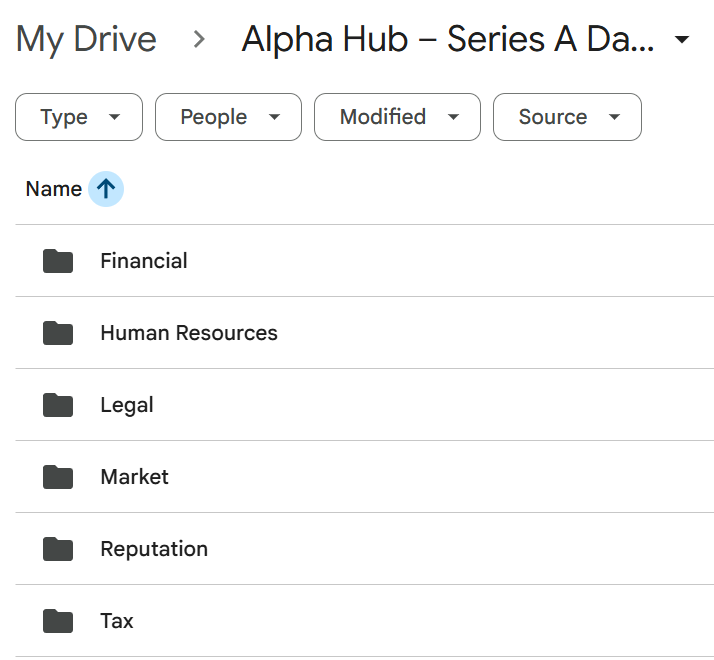
Create subfolders to group data room documents together into relevant categories. Some of the most common data room folder categories include:
- Financial — P&L, balance sheet, cash flow projections, cap table
- Legal — incorporation docs, shareholder agreements, IP assignments
- Market — TAM/SAM/SOM analysis, competitive landscape, customer research
- Tax — federal/state tax returns (last 2–3 years), tax identification documents
- Human Resources — org chart, key employee contracts, equity/option agreements
- Reputation — press coverage, awards or recognitions, reference letters or third-party endorsements
Organizing your data room documents into specific categories helps investors navigate your data room more efficiently. This presents your company as organized, professional, and ready for real diligence.
3. Upload files to the Google Drive data room
Upload your files into the appropriate Google Drive data room folders.
Rename all the data room documents with clear names. For example, "Alpha Hub – Pitch Deck – Q1 2026.pdf" is a suitable name for a pitch deck updated in Q1 of 2026. Avoid a generic file name like "Pitch_v12_FINAL_2.pdf". This helps your brand appear more professional and makes it easy for investors to find the documents they want to analyze as part of their due diligence process.
Always default to PDF files for the data room. PDFs are harder to accidentally modify, look more intentional, and render consistently across devices.
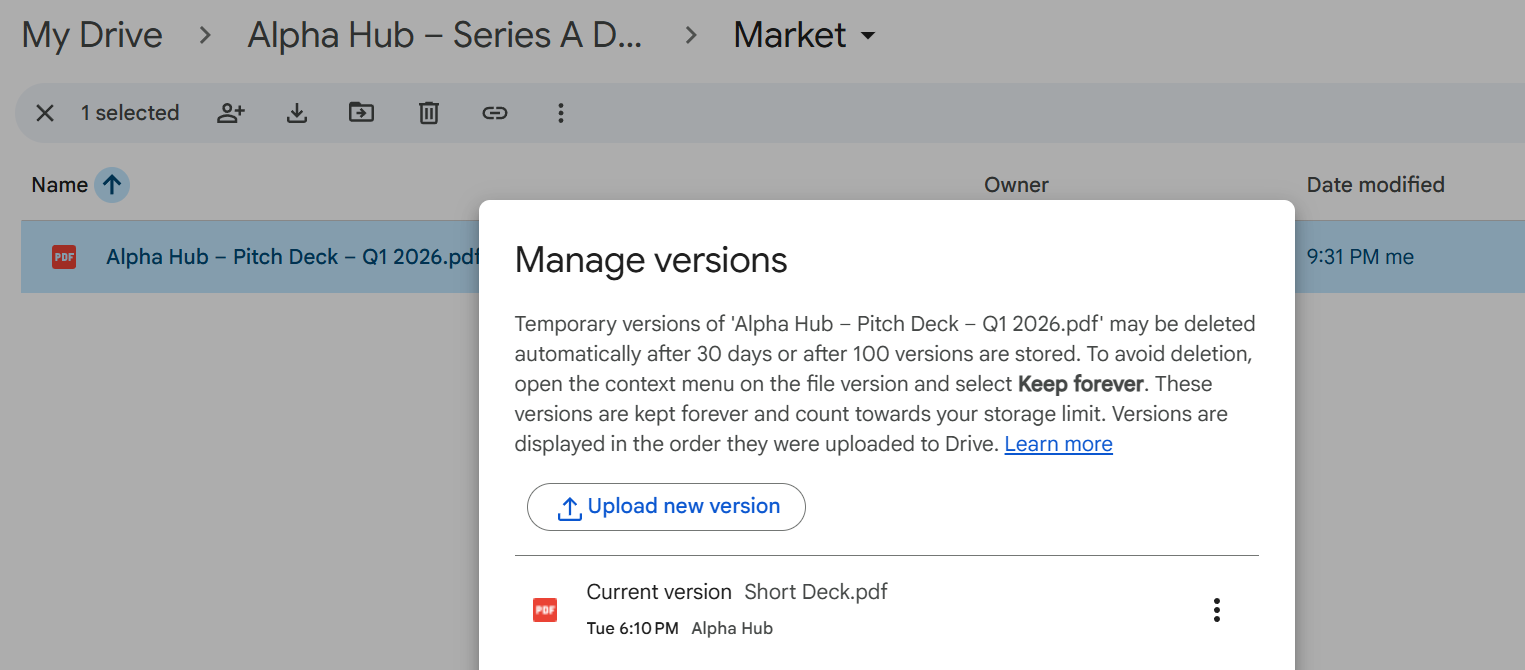
Pro Tip: Leverage Google's "Manage Version" feature when replacing outdated data room documents with new versions. This lets you update the file while keeping the same share link intact.
It's actually a mistake we made when originally building the Alpha Hub data room. We let companies add new files to data room links instead of replacing them, which broke active links mid-raise. Once we saw how often founders needed to update documents during a live round, we built the same version-control logic directly into the platform.
A standard Google Workspace account provides up to 30 GB of storage space. This is more than suitable for most data room needs.
4. Set Google Drive data room sharing permissions
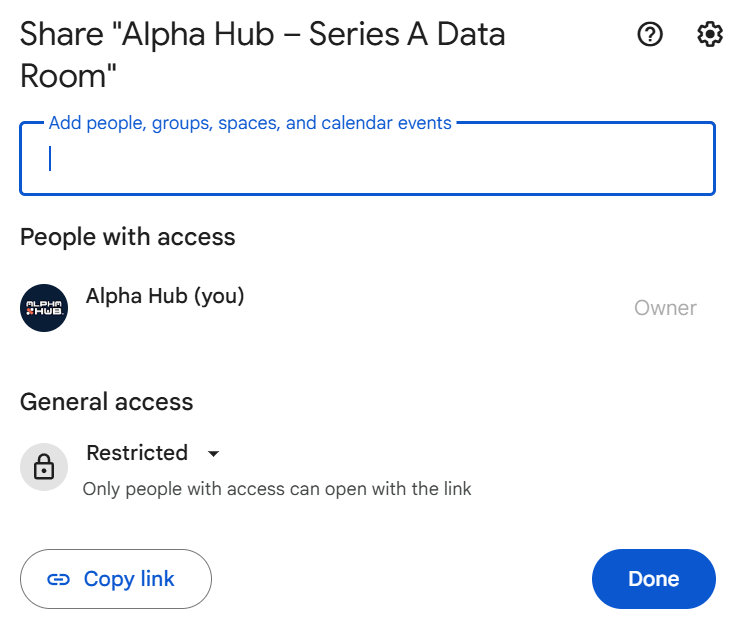
Right-click on the main data room folder and select "Share" to open the sharing permissions.
The two sharing options are:
- Restricted: Your data room is only shared with people whose emails you specifically add. This is best if your data room contains sensitive documents, like your Articles of Organization.
- Anyone with the link: Your data room is shared with anyone who has access to the Google data room URL. Simple to manage but doesn't provide any visibility into who has access to the data room.
Make sure you set the sharing permissions to "Viewer" only, not "Commentor" or "Editor" as you don't want external parties changing your data room or the documents in it.
5. Share your data room Google Drive links with investors
Share the top-level folder link directly with investors once your data room documents are added, organized, and share permissions are set.
Don't attach documents directly in emails. Just share the data room folder link with your target investors. That way you can keep your data room contents organized in one place without resending updated documents or trying to keep track of who has access to which documents across multiple email chains.
Google Drive data rooms don't provide analytics on who viewed your documents or how long they spent reviewing them. This is where many startups using Google Drive opt for an Orangedox subscription, which starts at $55 per month.
What you can do is build that signal manually by following up with a question or two designed to reveal where their attention actually went. Asking about their biggest open questions or first reactions to your business will often tell you which documents landed and which need more clarity.
What is the best free data room for startups?
Alpha Hub is the best free data room for startups because the platform integrates a secure data room with analytics and an investor marketplace. Companies that create their data room on Alpha Hub don't just get a place to store documents; they can get visibility in front of potential investors as well. Your data room becomes a live asset, not a link you send into a void and hope someone opens.
The free tier covers what many early-stage startups actually need, and when you grow out of it, the paid plans are priced at a fraction of what traditional data room services charge for comparable functionality.
FAQs
A data room is a secure, organized repository where companies share sensitive documents with investors, acquirers, or partners during due diligence. The concept originated in physical rooms at law firms and investment banks, where parties reviewed confidential documents under controlled conditions. Today, digital data room platforms like Intralinks, Datasite, and DocSend have replaced those physical spaces entirely. In a startup fundraising context, a data room typically contains your pitch deck, financial statements, cap table, legal documents, and traction metrics. It is essentially everything an investor needs to evaluate your company before committing capital.
Google Drive is secure enough for a data room at the early stages of fundraising, particularly when sharing with a small group of trusted contacts. Files are encrypted in transit and at rest, and Restricted sharing gives you meaningful access control. Where Google Drive falls short compared to purpose-built platforms like Alpha Hub or Firmex is in the areas of NDA gating, document-level access logs, and watermarking. For most seed-stage founders sharing materials with angels or early advisors, the security posture is perfectly adequate. For larger rounds involving sensitive IP or litigation history, a more controlled environment is worth the investment.
You do not need Orangedox to create a data room in Google Drive. Orangedox is a Chrome plugin that layers document tracking and analytics on top of Google Drive folders, but the underlying folder structure and sharing setup works without it. This guide covers everything you need to build a functional Google Drive data room from scratch. Whether the analytics layer Orangedox provides is worth it depends on your situation, but for most early-stage startups, a purpose-built free platform like Alpha Hub gives you more than a paid Google Drive workaround without the added complexity.
A data room is different from a shared folder in five key ways. Structure: a data room is organized around a reviewer's due diligence workflow, with documents grouped by category and presented in a logical sequence. Access control: data rooms allow granular permissions at the document level, NDA gating, and time-limited access — shared folders like Google Drive offer only basic viewer and editor permissions with no gating options. Analytics: platforms like DocSend and Alpha Hub show you who opened your documents, which pages they spent time on, and when they stopped reading — a shared folder tells you nothing. Professionalism: institutional investors who have reviewed hundreds of data rooms immediately recognize the difference between a purpose-built platform and a repurposed storage folder. Security: data rooms offer watermarking, audit trails, and remote access revocation that a shared folder link cannot provide.
Conclusion
Google Drive is a reasonable starting point for a data room, especially if you're in the earliest stages of fundraising and working with a small number of trusted contacts. The steps above will get you a functional, professionally organized data room without a paid subscription or a Chrome extension.
What it won't get you is visibility. You won't know who opened your files, how long they spent on your financials, or whether the link you sent last Tuesday was ever clicked. In a process where timing and follow-up can determine whether a check gets written, that missing layer matters.
When we built the Alpha Hub data room internally, we ran into most of the same limitations outlined in this guide before building solutions for them directly into the platform. Version control, access management, and document analytics aren't features we added because they sounded good on a roadmap. They came directly from the experience of trying to manage a real data room in Google Drive and finding the edges.
If you're ready to move beyond Drive, Alpha Hub's free data room is built for exactly this stage. No extensions, no enterprise pricing, no features you won't use for three years. Just a data room that works the way a data room should.