

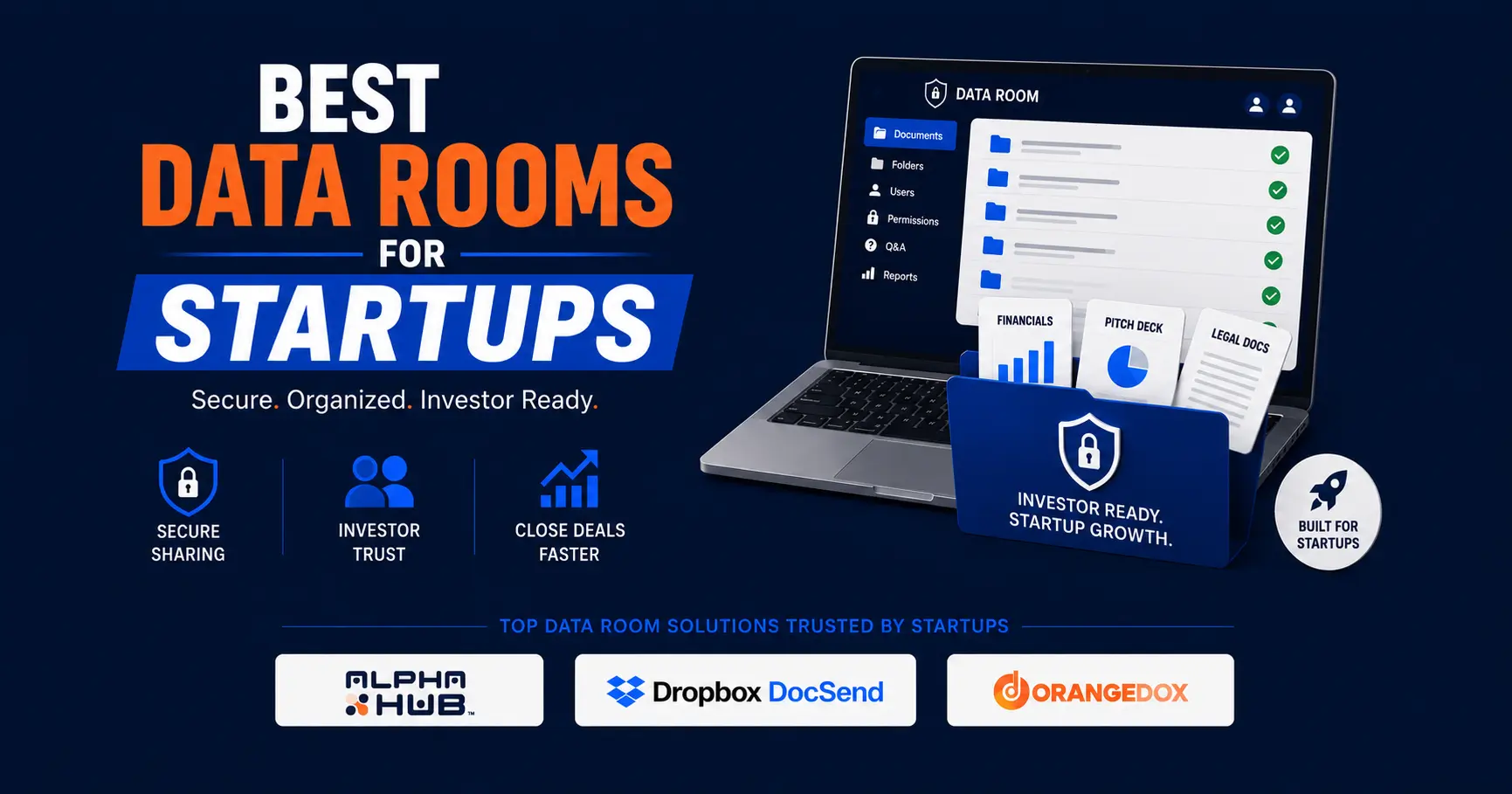
The best data rooms for startups in 2026 include:
- Alpha Hub
- Peony
- DocSend
- Papermark
- Notion
- Orangedox
- Google Drive
- Digify
Most "best data room" articles are written for M&A deal teams at investment banks. The tools they rank are enterprise platforms that charge $15,000 to $25,000 per deal, built for lawyers exchanging hundreds of thousands of pages during acquisition due diligence. That is not you.
If you are a founder raising a seed round or a Series A, your requirements are different. You need a place to organize your pitch deck, financials, cap table, and legal documents. You need investors to be able to access those materials without friction. And ideally, you want to know who is actually engaging with your documents so you can follow up at the right moment. You do not need per-page billing, white-glove implementation, or a dedicated project manager.
Something I have noticed working closely with startups on the Alpha Hub platform is that the founders who are most engaged are not shopping for a filing cabinet. They are looking for a path to capital. The data room is part of that path, but it is not the destination. That framing changes which tool you should pick.
According to Crunchbase, venture and growth investors deployed $425 billion into more than 24,000 private companies globally in 2025, up 30% from the prior year. Capital is moving. But according to data from NYU Entrepreneurship, the average founder needs to reach 200 or more investors to close a seed round. At that volume, the tools you use to manage outreach, share materials, and track engagement are not administrative details. They are part of your fundraising strategy.
The eight platforms below are ranked by how well they serve founders actively raising capital, not M&A teams or enterprise legal departments.
1. Alpha Hub: Best Data Room for Startups Raising Capital

Alpha Hub is the best data room for startups raising capital because it is the only platform on this list that combines a full-featured secure data room with an integrated private capital marketplace and visibility into where you stand in an investor's process, all in a single platform.
Every other tool on this list solves one piece of the problem. Alpha Hub is built around the whole fundraising workflow. You set up your data room, connect with accredited investors, family offices, and institutional allocators through the marketplace, and get real-time email notifications when investors request document access or show positive engagement signals with your materials. When an investor is actively reviewing your financials, you know about it and you can reach out directly through the platform. Allocators are also notified automatically when you update your data room documents, which keeps active investors in the loop without requiring you to manually chase anyone.
The data room itself covers what founders actually need: document upload and folder organization, granular viewer permissions, access controls with link-level revocation, and NDA gating, which automatically prompts investors to sign a simple NDA before they can view your documents. That last feature alone removes the friction of managing NDAs separately and ensures every document view is covered.
Most founders discover partway through a raise that they need a data room, an investor network, and deal visibility, and end up cobbling together two or three separate tools to get there. Alpha Hub is built so you do not have to.
Pricing: Free to start. Paid tiers available.
Best for: Founders raising seed, Series A, or growth rounds who want their data room connected to a capital-raising infrastructure rather than sitting as a standalone folder.
Get started with Alpha Hub's free data room
2. Peony: Best Analytics-First Data Room for Active Fundraising

Peony is the best data room for founders who prioritize document analytics and security during an active raise, purpose-built for deal teams rather than adapted from a generic file-sharing tool.
Peony was built specifically for founders, and it shows in the feature depth at its paid tiers. The Business plan ($40/admin/month) gives you page-level analytics showing exactly how long each investor spent on each document, dynamic watermarking, NDA gating, AI auto-indexing, screenshot protection, and smart Q&A workflows where investors submit questions directly inside the room. The founder of Peony is transparent that this was built to solve the frustrations he ran into while working in fund management: enterprise VDRs were too expensive, and generic file-sharing tools gave founders no insight into investor behavior.
Worth being clear on the free tier: it is useful for getting oriented with the platform, but it is limited for active fundraising. Free links expire after three days, multi-file sharing is not available, and NDA gating is a Business tier feature. If you are in active investor conversations, you need at least the Pro plan ($20/admin/month) for e-signatures and AI features, or Business ($40/admin/month) for the full data room feature set including watermarks and NDA gating.
At $40 per admin per month, Peony Business compares favorably to the alternatives: DocSend's Advanced plan runs $150 per month for three users, and legacy enterprise platforms like Datasite and Ansarada run $15,000 to $25,000 or more per deal.
Pricing: Free tier available (limited: 3-day link expiry, no multi-file sharing, no NDA gating). Pro at $20 per admin per month. Business at $40 per admin per month.
Best for: Pre-seed through Series B founders who want enterprise-grade analytics and security at a fraction of legacy VDR pricing, and who do not need an integrated investor network.
3. DocSend: Best for Founders Who Want the Industry-Standard Name

DocSend is the best-known data room and document analytics platform for startup fundraising, used widely enough that some investors recognize and trust the DocSend sharing interface by default.
If you have been raising capital for any length of time, you have probably already received a DocSend link from another founder. Dropbox acquired DocSend in 2021, and it has remained the default choice for VC-backed founders who want document analytics without building a full data room setup. You get page-level analytics, NDA gating, access controls, and eSignatures across its paid tiers.
Worth noting on pricing: DocSend does not have a free plan. The Personal plan starts at $10 per user per month but covers only basic sharing and document-level analytics, with no NDA gating, watermarking, or data room functionality. For data rooms, you need at least the Advanced plan at $150 per month for three users, which adds lightweight data rooms, dynamic watermarking, and NDA gating. The full Advanced Data Rooms plan, which includes enhanced data rooms, group permissions, audit logs, and due diligence tracking, is $180 per month for three users. DocSend does offer a 90% startup discount for seed-stage companies, which makes it accessible in year one. The catch is that renewals are at full price, so plan for a significant cost jump after year one if you go this route.
Pricing: No free plan. Personal at $10 per user per month. Advanced at $150 per month for three users. Advanced Data Rooms at $180 per month for three users.
Best for: Founders who want the most recognized name in startup document sharing and are comfortable with the pricing structure after the startup discount period ends.
4. Papermark: Best Open-Source Option for Budget-Conscious Founders

Papermark is the best data room option for cost-sensitive founders who want page-level analytics and a free starting point, built as an open-source alternative to DocSend with transparent flat-rate pricing.
Papermark was built by a former fund-of-funds professional who was frustrated with how expensive and complicated existing data room tools were. The free tier gives you unlimited links, unlimited visitors, and page-by-page analytics, which is more than most free tiers offer. The paid plans start at around €24 per month and scale to a full Data Rooms tier at €99 per month, which includes dynamic watermarking, granular permissions, NDA enforcement, and custom domains.
For founders who are watching every dollar in the early stages, Papermark gives you meaningful functionality at a price that is hard to argue with. The trade-off compared to Peony is that Papermark does not include AI-powered features like auto-indexing or smart Q&A at lower tiers, and the open-source positioning means the product roadmap can be less predictable than a fully venture-backed platform.
Pricing: Free tier available. Paid plans from €24 per month. Data Rooms plan at €99 per month.
Best for: Early-stage founders who want document analytics and basic data room functionality at the lowest possible cost, and who are comfortable with an open-source product.
5. Notion: Best Free Option for Pre-Fundraise Organization

Notion is the best option for founders who want a free, visually polished way to organize and present investor materials, with the understanding that it is a workspace tool, not a virtual data room, and lacks the security and tracking features that active fundraising requires.
A significant number of early-stage founders build their first investor data room in Notion, and it is easy to see why. The platform is free, the templates are well-designed, and the Notion Marketplace has purpose-built startup data room templates that give you a clean folder structure to drop documents into. For a pre-seed founder who wants to impress in a first meeting without spending anything, a well-organized Notion data room looks more professional than a raw Google Drive link.
The limitations become real the moment investors start accessing it. Notion has no document analytics: you cannot tell whether an investor has opened your materials, which pages they spent time on, or whether they shared the link with colleagues. There is no NDA gating, no dynamic watermarking, and no access revocation per viewer. If you shared a Notion link three weeks ago, you have no idea who has seen it since. That is a meaningful blind spot during an active raise, when knowing which investors are engaged changes how you allocate follow-up time.
Use Notion to organize your materials early. Move to a purpose-built data room tool before you start sending links to investors.
Pricing: Free. Plus plan at $10 per user per month. Business at $25 per user per month.
Best for: Pre-seed founders who want a free, structured way to organize materials before fundraising begins, not for sharing documents with investors during an active raise.
6. Orangedox: Best Data Room for Startups Living Inside Google Drive

Orangedox is the best data room option for startups whose documents already live in Google Drive, because it turns any Drive folder into a branded, fully trackable virtual data room without requiring you to re-upload or migrate files.
Many founders already use Google Drive for internal documents, and the prospect of duplicating everything into a separate platform is genuinely annoying. Orangedox solves this by integrating natively into Drive. You set up a sharing link through Orangedox, and the platform layers tracking, branding, access controls, and NDA gating on top of your existing Drive structure. You can see who opened each file, how long they spent per page, and revoke access at any time, all without touching your Drive setup.
The main limitation is that Orangedox's value proposition depends entirely on you already being in Google Drive. If your documents are spread across Drive, Notion, and your desktop, Orangedox is less compelling. It also does not offer an investor network or pipeline management. But for founders who live in Drive and want to professionalize their investor sharing without switching platforms, it is a clean solution.
Pricing: Starts at $75 per month.
Best for: Founders who manage their documents in Google Drive and want to add tracking, access control, and NDA gating without migrating to a new platform.
7. Google Drive: Free Starting Point for Pre-Fundraise Organization

Google Drive is a reasonable place to start organizing your investor materials before your first fundraise, but it is not a virtual data room and should not be treated as one once you are in active conversations with investors.
Google Drive is free, familiar, and requires zero setup. For a founder who is six months from their first investor meeting and just starting to gather documents, it is a perfectly fine place to start. You can create a folder structure, add documents, and share a view-only link. That is workable.
The problems emerge once you are actually fundraising. Google Drive gives you no visibility into who has viewed your documents. A link that you shared three months ago could still be active without you knowing. You cannot gate access behind an NDA. You cannot revoke a specific investor's access without changing the link for everyone. And a Google Drive link does not signal the same level of organization and preparation as a proper data room, which matters when investors are evaluating dozens of founders simultaneously.
For a deeper walkthrough of how to use Google Drive as a stopgap data room before switching to a dedicated tool, see our guide: How to Create a Data Room in Google Drive.
Pricing: Free (Google Workspace from $6 per user per month for business features).
Best for: Founders in the earliest stages who are not yet in active fundraising conversations and want a free way to start organizing materials.
8. Digify: Best for Startups That Prioritize Document Security Above All Else

Digify is the best data room option for founders who prioritize airtight document security and want a purpose-built platform with a proven track record, rated 4.7 out of 5 across 155 reviews on Capterra.
Digify sits in an interesting position in the market: more capable than Papermark for security-focused use cases, less expensive than legacy enterprise platforms, and purpose-built for the kind of fundraising and IP-sharing workflows startups actually run. The Pro plan at $140 per month flat includes NDA gating, folder-level granular permissions, document tracking, access revocation, and Digify's patent-pending Persistent Protection After Download technology, which lets you retain control over files even after an investor has downloaded them. You can revoke access, set expiry dates, and restrict printing or forwarding after the fact. For founders sharing sensitive IP or financial models with a large number of investors, that is a meaningful security layer.
The trade-off compared to Peony is feature depth at the analytics layer. Digify does not offer page-level analytics or AI features at any tier. You can see who accessed your documents and when, but not which specific pages captured the most attention. If engagement intelligence is your priority during a raise, Peony Business at $40 per admin per month gives you more for less. If your priority is document security and control, Digify is the stronger choice.
Pricing: Pro at $140 per month flat. Team at $350 per month flat. 7-day free trial available.
Best for: Founders sharing sensitive IP, financial models, or legal documents with a large investor pool who want maximum post-download document control and do not need page-level engagement analytics.
What Should Startups Look for in a Data Room?
Startups should look for different features in a data room depending on where they are in the fundraising process: organization and access control at the earliest stages, and engagement visibility, NDA gating, and security once active investor conversations begin. Here is how to think about it by stage:
Pre-seed (no active fundraising): Notion, Google Drive, or Papermark's free tier is sufficient. Your priority is organizing documents, not tracking investors. Save your budget.
Active seed fundraising: You need NDA gating, document-level access controls, and at minimum basic view tracking. Peony Pro or Business, Papermark's Business tier, or DocSend Advanced all cover this. If you want your data room connected to an investor network, Alpha Hub is the only option that provides that.
Series A and beyond: Analytics depth starts to matter more. You want to know not just who opened your materials but which specific documents and pages captured the most attention. Peony Business, DocSend Advanced, or Alpha Hub at higher tiers all serve this use case.
Regardless of stage, there are four features worth prioritizing:
- NDA gating: Every investor who accesses your materials should sign a simple NDA first. This is now table stakes, and most purpose-built tools include it.
- Access revocation: You need the ability to remove individual investors from access without disrupting everyone else. A single shared link with no revocation is not a data room.
- Engagement notifications: Knowing when an investor is actively reviewing your materials lets you follow up at the right moment rather than guessing.
- Organized folder structure: Investors evaluate dozens of companies at once. A clearly organized data room signals operational competence before they read a single document.
How to Choose the Right Data Room for Your Startup
To choose the right data room for your startup, start with a free tier and upgrade when you move into active investor conversations.
Start with Alpha Hub's free tier if you want your data room connected to an investor network from day one. Start with Notion if you are pre-fundraise and just need a free, structured way to organize your materials. Start with Papermark's free tier if you want basic document analytics without paying anything upfront, or Peony Pro at $20 per admin per month if you want AI features and e-signatures from the start.
Upgrade to a paid plan when you have active investor conversations happening. At that point, NDA gating, engagement notifications, and access controls shift from nice-to-have to essential. The cost of a paid data room tier during an active raise is negligible compared to the value of knowing which investors are actually engaged.
Skip the enterprise VDRs entirely. Platforms like Datasite and Intralinks are built for multimillion-dollar M&A transactions with dedicated legal teams managing hundreds of thousands of documents. The pricing reflects that. A pre-seed or seed-stage founder has no use for per-page billing or white-glove implementation. If document security is your top priority, Digify's Pro plan at $140 per month flat is a more defensible choice than either.
Frequently Asked Questions
The best data room for startups depends on your stage, but Alpha Hub is the strongest choice for founders actively raising capital because it combines a secure data room with an integrated investor marketplace and real-time engagement notifications in one platform.
Startups need a virtual data room if they are raising capital, because sharing sensitive materials like financials, cap tables, and legal documents with investors requires NDA gating, access controls, and engagement visibility that standard file-sharing tools do not provide.
The best free data room for startups is Alpha Hub, which is free to start and connects your data room to a private capital marketplace. Papermark's free tier is also worth considering for basic document analytics at no cost. Peony has a free tier but its links expire after three days and key features like NDA gating are locked behind the paid Business plan.
A startup data room should include your pitch deck, financial model, cap table, incorporation documents, key contracts, intellectual property records, and team bios, organized into clearly labeled folders so investors can find what they need without asking you for it.
A startup should set up a data room once it has determined that outside funding is necessary for the business to succeed. At that point, having organized materials ready before you begin outreach signals preparation to investors and removes friction from the due diligence process when conversations start moving quickly.
Google Drive is not good enough for a startup data room during active fundraising, because it offers no document analytics, no NDA gating, no access revocation per viewer, and no investor engagement notifications. It is a reasonable place to organize materials before you begin outreach, but founders consistently outgrow it the moment investors start asking questions.